
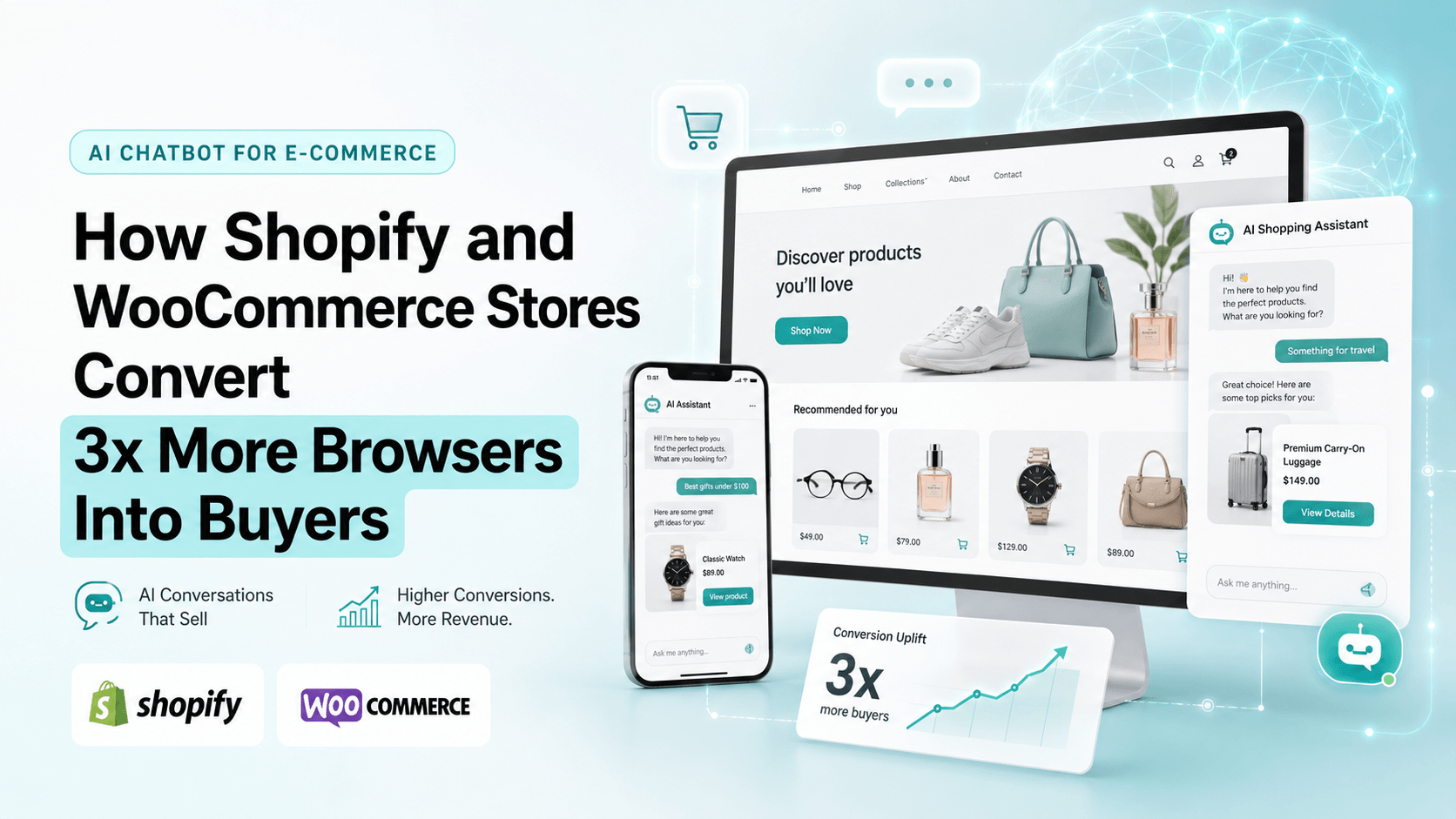
Table of Contents
Last quarter, a Shopify merchant posted the question every store owner eventually asks: does your chatbot actually increase sales, or is it just support? This guide answers that with cart abandonment math, platform-specific install steps for Shopify and WooCommerce, and an honest comparison of Tidio, Gorgias, and SuperMIA.
Two things changed e-commerce in the last 18 months. First, cart abandonment sits around 70% globally, which means 7 out of every 10 shoppers who add to cart never complete checkout. Second, ChatGPT and Perplexity have quietly become shopping engines where users see products, prices, and reviews from organic results, not only ads.
AI chatbots solve both problems when they are connected to product, cart, customer, and order data. If you are evaluating AI chatbots for Shopify and WooCommerce stores and want numbers instead of vendor copy, use this as your buyer framework.
See AI chatbot for Shopify in action.
Walk through cart recovery, product Q&A, and checkout rescue flows for your store.
Book a conversion walkthrough →Quick Answer
AI chatbots help Shopify and WooCommerce stores convert more browsers into buyers by recovering abandoned carts with real-time conversation, recommending products from browsing and purchase history, answering pre-purchase questions instantly, deflecting support tickets, and improving product content for ChatGPT and Perplexity discovery. The best-performing stores see 2-3x conversion lift on chatbot-engaged sessions versus non-engaged sessions.
What Is an AI Chatbot for E-commerce?
An AI chatbot for e-commerce is a conversational assistant integrated into an online store, typically Shopify, WooCommerce, BigCommerce, or Magento, that uses natural language understanding to answer product questions, recover abandoned carts, recommend items, and deflect support tickets. Unlike rule-based chatbots, AI chatbots interpret intent and respond conversationally, often increasing conversion rates on engaged sessions.
- Cart abandonment is the highest-value use case because shoppers already showed buying intent.
- Native Shopify and WooCommerce integrations matter more than generic widgets.
- Total cost of ownership includes conversation limits, overage fees, integration time, and reporting gaps.
- AEO and GEO commerce are now measurable as AI search tools surface product recommendations.
- Measure conversion lift on chatbot-engaged sessions, not messages sent.
Key takeaways
- Cart abandonment is a revenue problem, not only a UX problem.
- Chatbot-engaged sessions should be measured separately from site-wide conversion rate.
- Conversation limits, AI overages, and integration hours can hide the true cost of a platform.
- Chatbot logs reveal the language shoppers use, which can improve product pages and FAQs for AI discovery.
The Cart Abandonment Funnel: Where AI Intervenes
| Stage | Visitors Remaining | AI Intervention |
|---|---|---|
| Product page view | 10,000 visitors, 100% | Proactive greeting after dwell time, with size, fit, compatibility, and policy answers. |
| Add to cart | 3,000 visitors, 30% | Product Q&A and return-policy answers before shoppers leave to research elsewhere. |
| Checkout started | 2,000 visitors, 20% | Live cart support for shipping cost, discount code, address, and payment questions. |
| Checkout in progress | 1,000 visitors, 10% | Exit-intent rescue with targeted offer, shipping clarification, or human handoff. |
| Purchase complete | 250 buyers, 2.5% | Post-purchase upsell, order tracking, review requests, and support deflection. |
Adding AI intervention at checkout typically lifts checkout-to-purchase conversion from about 12.5% to 18-22%. On 10,000 product page visitors, that can mean 110-190 additional orders per month at common e-commerce average order values.
Where AI Chatbots Actually Move Revenue
| Use Case | Revenue Lift Over Baseline | Visual |
|---|---|---|
| Abandoned cart recovery | +22% | |
| Product recommendations | +18% | |
| Pre-purchase Q&A | +14% | |
| Upsell and cross-sell at checkout | +12% | |
| AEO discovery | +10% | |
| Post-purchase support deflection | +8% |
Abandoned cart recovery delivers the highest single-use-case lift; product recommendations follow. AEO discovery is newer, but it is becoming more important as ChatGPT and Perplexity become shopping channels.
How AI Chatbots Connect to Shopify and WooCommerce
The storefront layer renders the chat widget and checkout extension. The AI chatbot layer handles conversation, intent recognition, personalization, and routing. The data layer feeds product catalog, customer history, and operational tools so the assistant can answer specific questions instead of generic ones.
Shopify Integration Walkthrough
The Shopify install pattern is similar across modern AI chatbot apps. The steps below assume SuperMIA, but the same shape applies to Tidio and Gorgias.
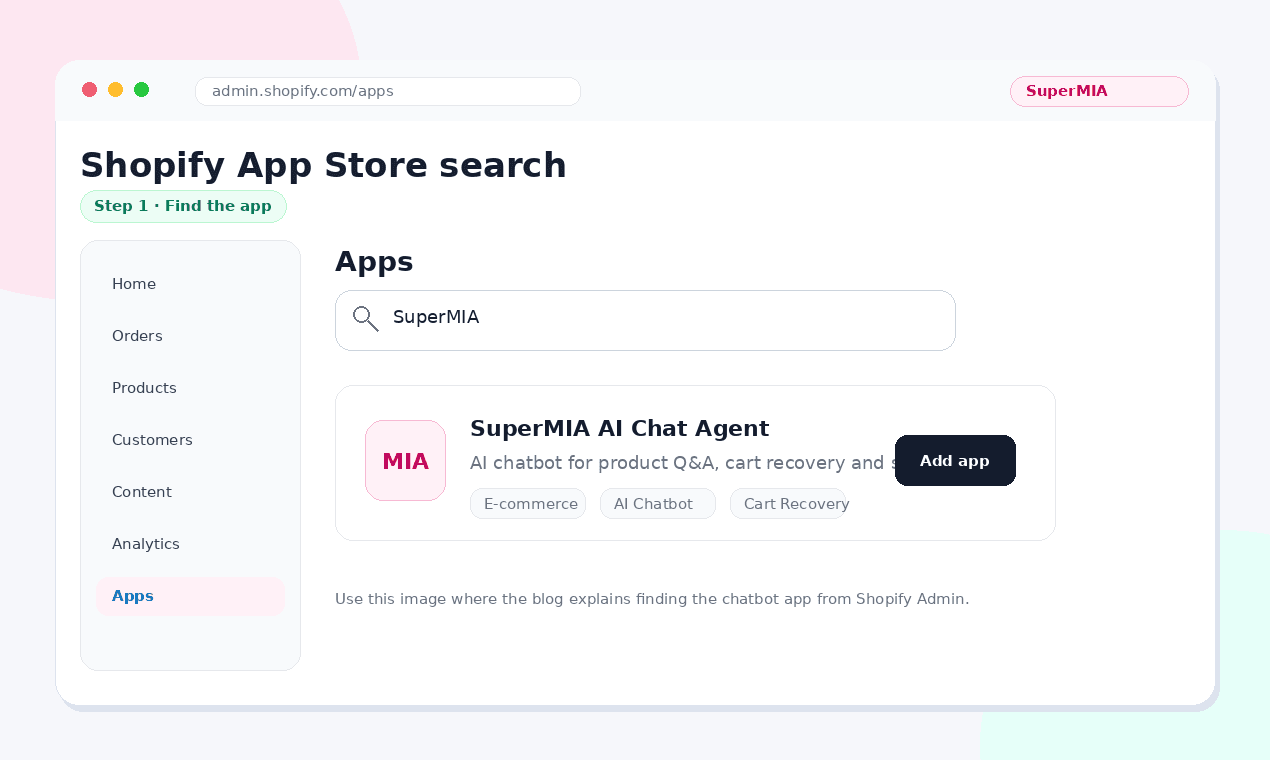
Step 1: Find the App
Inside Shopify admin, navigate to Apps, open the Shopify App Store, search for the chatbot app name, and click Add app.
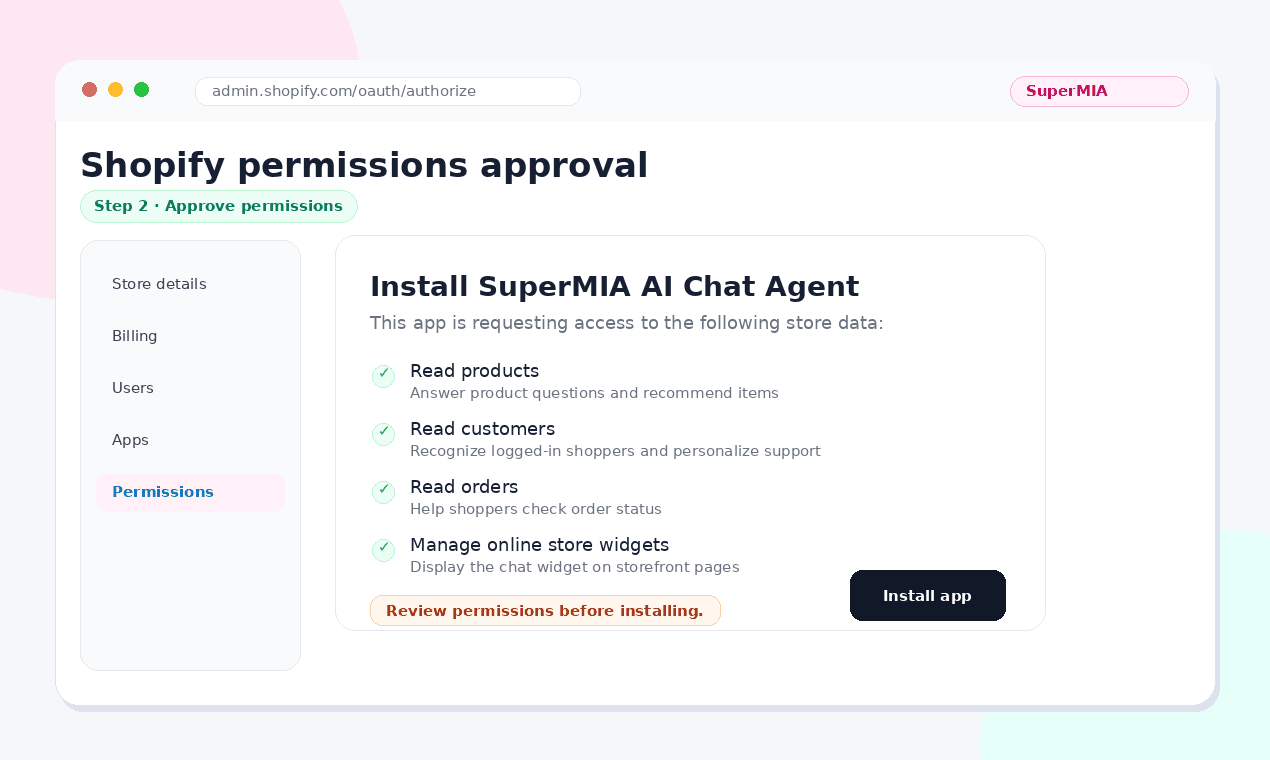
Step 2: Approve Permissions
Shopify shows a permissions screen listing what the app can read and write, typically products, customers, orders, and store settings. Approve only if the permissions match the chatbot use case.
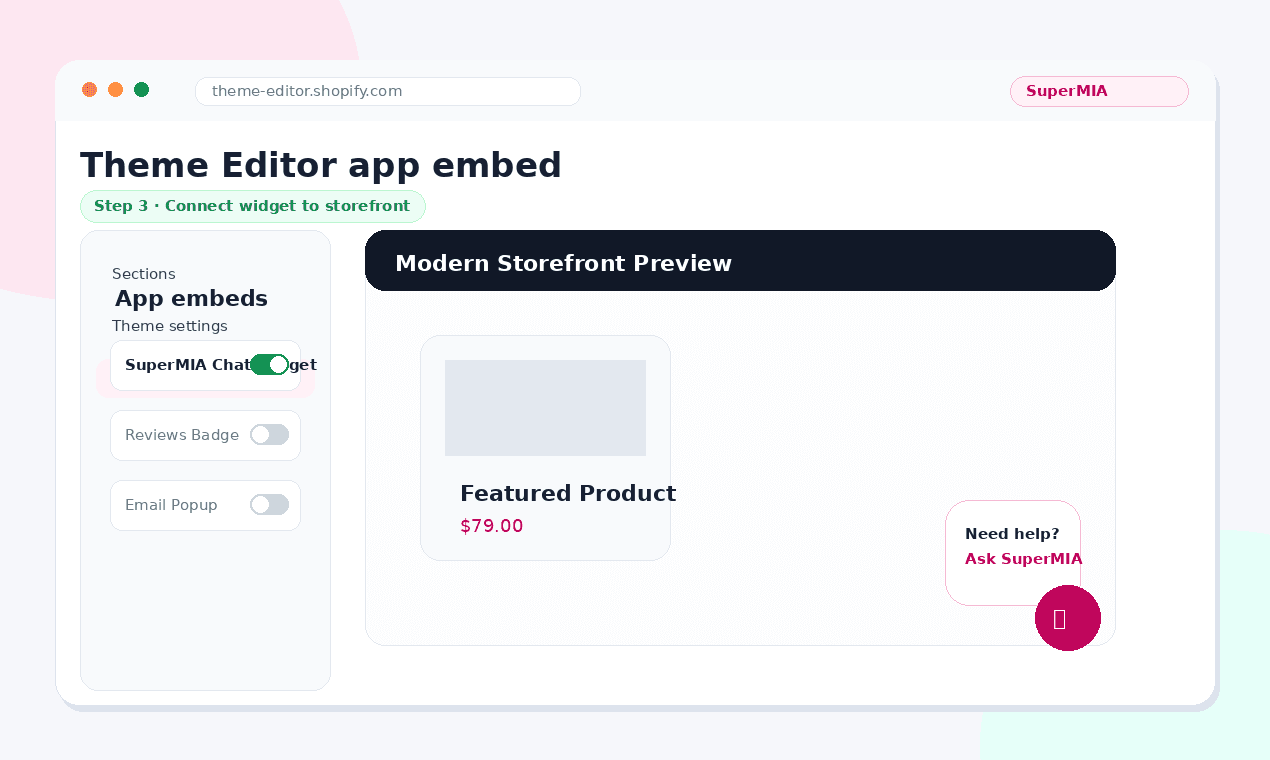
Step 3: Connect the Widget to Storefront
Most apps add the widget through Shopify App Embed, so no theme code edits are required. Confirm placement by visiting the storefront in incognito mode.
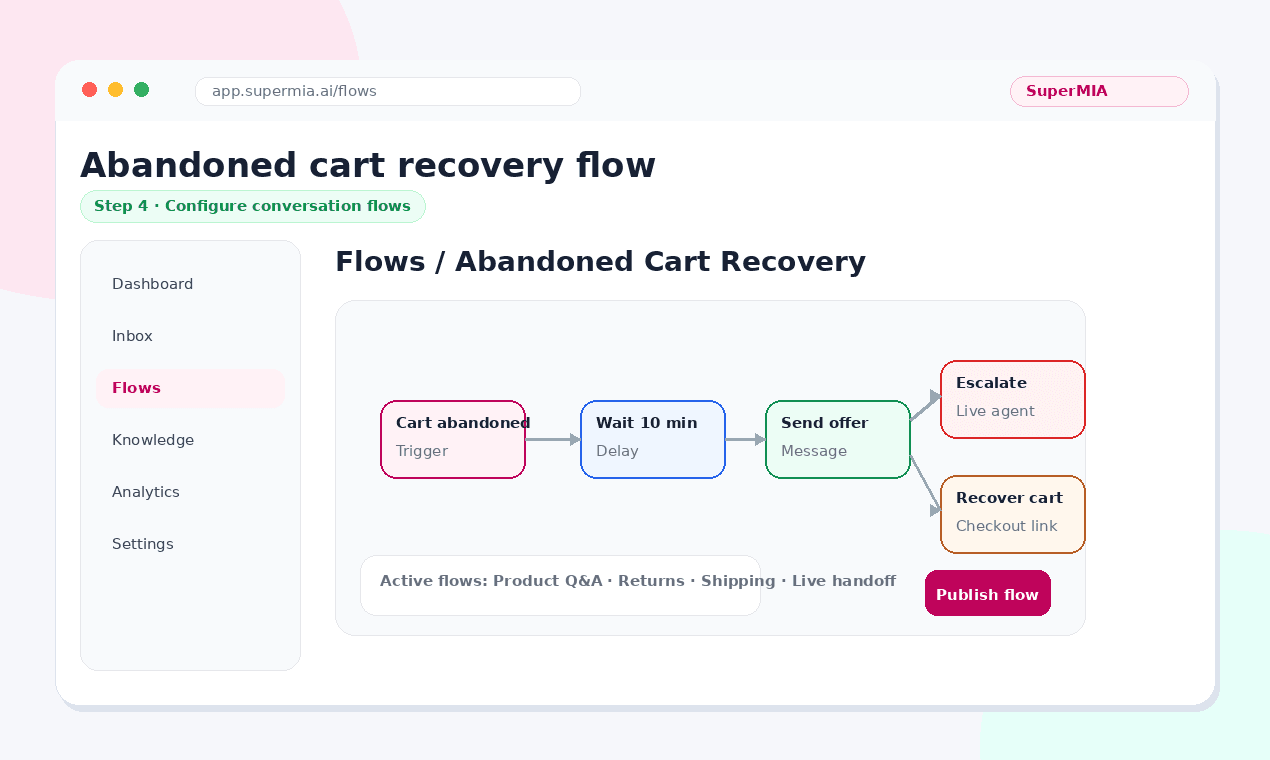
Step 4: Configure Conversation Flows
Configure abandoned cart recovery, product Q&A intent handlers, shipping and return policy responses, and escalation to a live agent.
Step 5: Test and Launch
Before going live, run a sandbox order, abandon a cart, confirm the recovery flow, ask product questions, trigger escalation, and verify order data appears correctly. Measure conversion lift on chatbot-engaged sessions versus non-engaged sessions after enough traffic has passed through the flow.
WooCommerce Integration Walkthrough
WooCommerce installation runs through WordPress plugins. The extra checks are WordPress version compatibility, WooCommerce version compatibility, theme conflicts, and async widget loading.
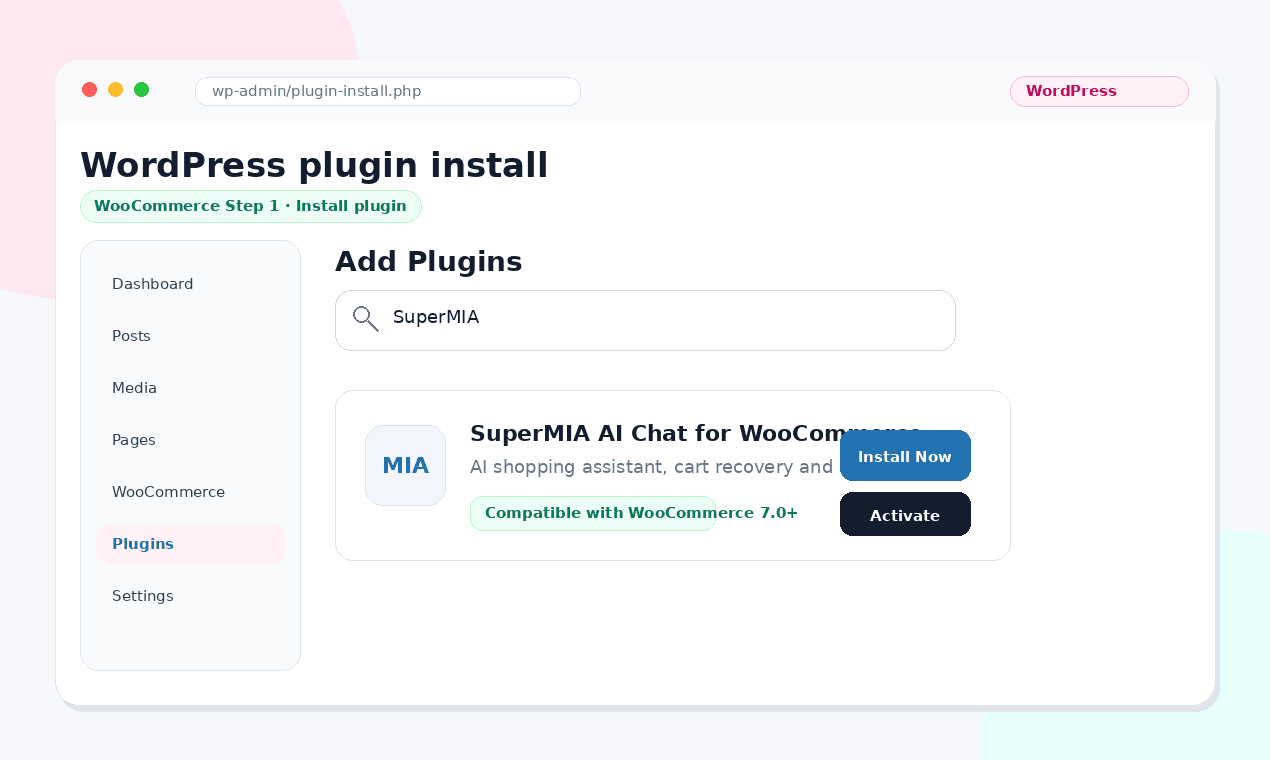
Step 1: Install the Plugin
In WordPress Admin, open Plugins, choose Add New, search for the chatbot plugin, then install and activate it after confirming WooCommerce compatibility.
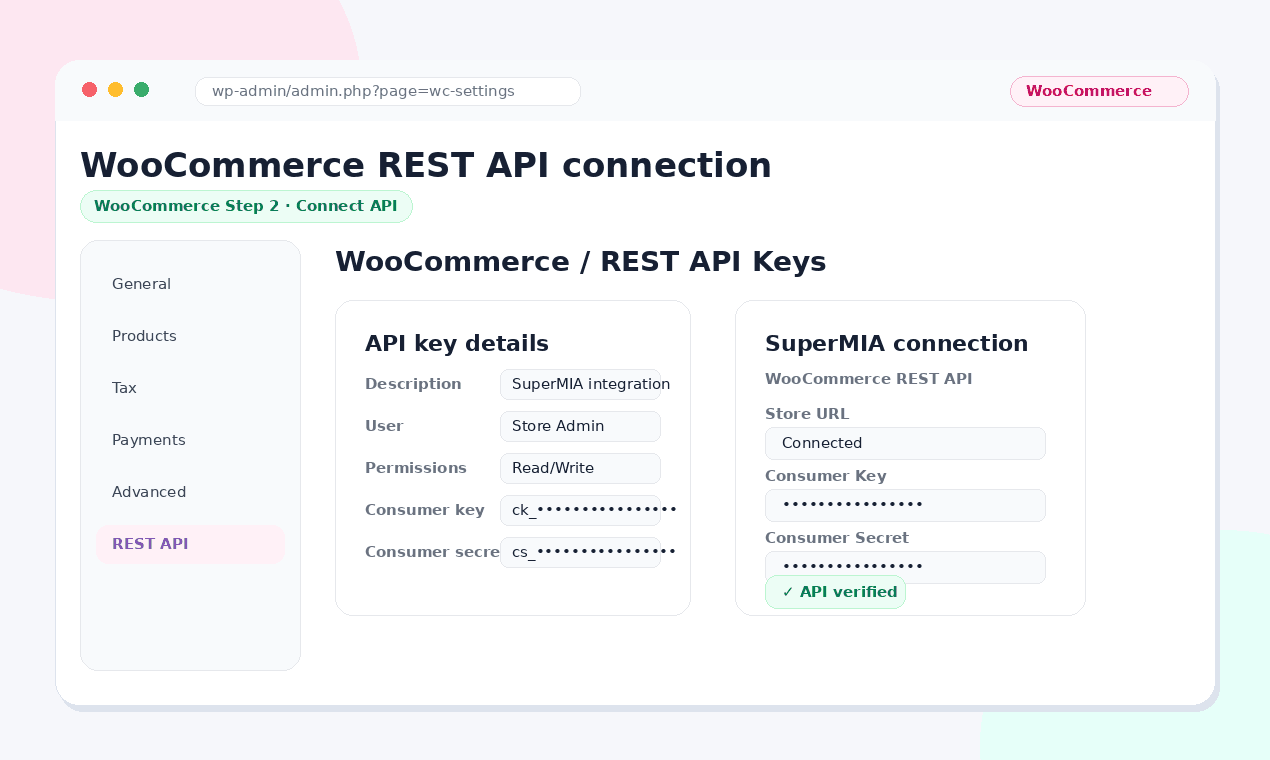
Step 2: Connect to WooCommerce
Generate WooCommerce REST API keys under Settings, Advanced, REST API, then paste the keys into the chatbot plugin configuration.
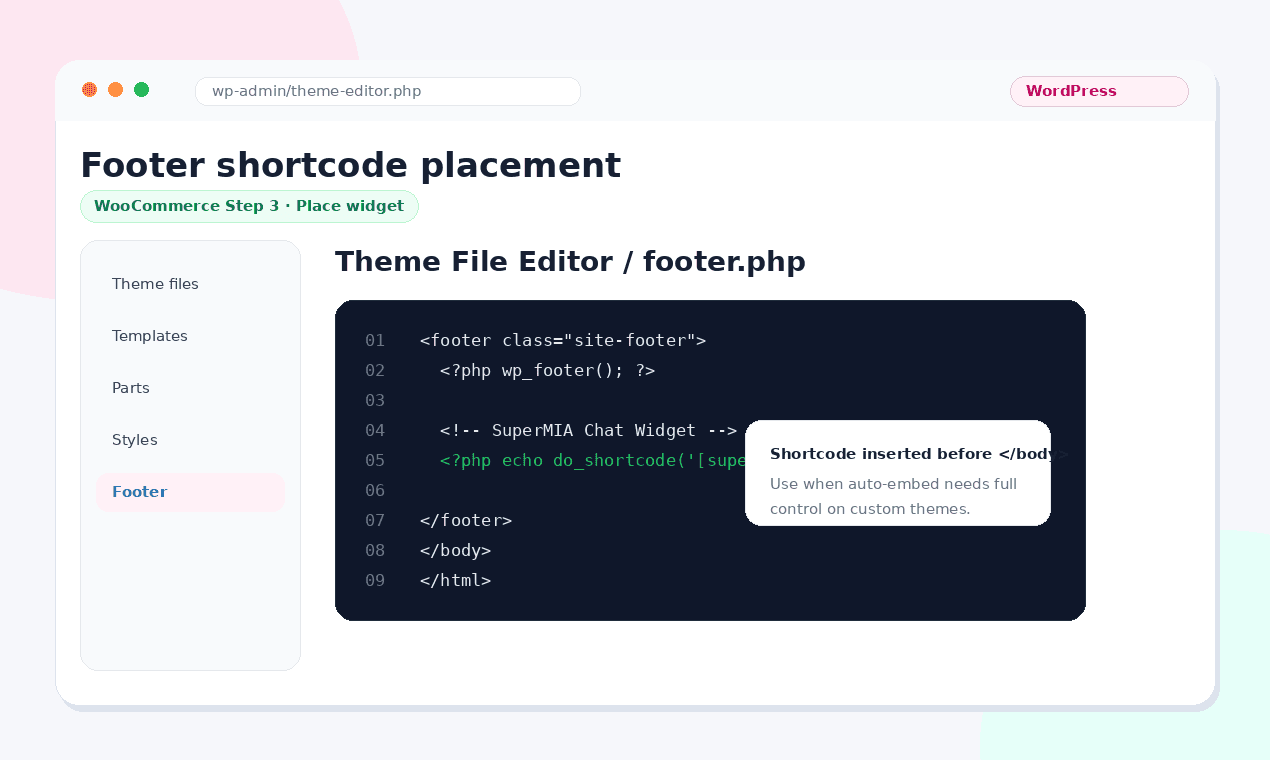
Step 3: Place the Widget
Use auto-embed when the theme supports it, or place a shortcode in the footer template for full control on customized themes.
Step 4: Test for Theme Conflicts
WooCommerce stores often run 15-25 plugins. Visit the storefront in incognito and check that the widget actually loads, there are no JavaScript console errors, and page speed has not degraded by more than 100ms. If conflicts appear, disable plugins one by one to isolate the issue. The r/woocommerce community is direct about it: heavy theme plus plugin sprawl is the #1 reason chatbot installs fail.
Step 5: Configure WooCommerce Hooks
Modern AI chatbot plugins hook into WooCommerce events: woocommerce_cart_updated, woocommerce_checkout_order_processed, and woocommerce_order_status_changed. Verify these fire correctly with a test order before enabling for live traffic.
Step 6: Launch + Monitor
Enable the chatbot for live traffic. Watch WooCommerce reports for conversion-rate changes on sessions where the chatbot widget rendered. WooCommerce has slower page speeds than Shopify on average, so make sure widget loading is async. A chatbot that adds 500ms to time-to-interactive will hurt more than it helps.
Install SuperMIA on Shopify or WooCommerce.
See the app, plugin, widget, and recovery flows in one walkthrough.
Install walkthrough →Tidio vs Gorgias vs SuperMIA: Honest E-commerce Comparison
Not sure what to look for before comparing platforms? See our guide to picking an AI chatbot for your business - covering integration, scalability, and cost frameworks.
| Dimension | Tidio | Gorgias | SuperMIA |
|---|---|---|---|
| Best for | SMB Shopify stores | Support-heavy enterprise stores | AI-first Shopify and WooCommerce stores |
| Starting price | Free tier, then $29-$59 | $60-$360+ per month | Usage-based tiers that scale with revenue |
| AI capability | Lyro AI with tier limits | AI Agent with separate conversation pricing | Native AI across chat and voice workflows |
| Shopify integration | Native app | Native app | Native app |
| WooCommerce | Plugin available | Limited support | Native plugin with REST API hooks |
| Cart recovery | Built in | Add-on or third-party workflow | Built in |
| Voice channel | No | No | Voice and chat unified |
| AEO / GEO commerce | No | No | Product and conversation data optimized for AI engines |
| Conversation limits | Watch overages as volume grows | Watch per-conversation AI pricing | Predictable usage tiers |
For Shopify and WooCommerce stores prioritizing conversion lift and AEO commerce, SuperMIA's AI chatbot for e-commerce stores gives native integration on both platforms with voice and chat in one product. Tidio is a good fit for simple SMB support. Gorgias is strongest for enterprise support teams with high ticket volume.
For phone-heavy order support, pair chat with an AI voice bot for order support. For automation governance across systems, use the same operating discipline outlined in our enterprise workflow automation governance guide.
Before / After Revenue Data
| Metric | Before AI Chatbot | After 90 Days | Lift |
|---|---|---|---|
| Monthly product page sessions | 10,000 | 10,000 | - |
| Cart abandonment rate | 71.4% | 58.2% | -13.2 pts |
| Checkout completion rate | 12.5% | 21.8% | +74% |
| Chatbot-engaged conversion | - | 8.4% | 3.2x vs baseline |
| Average order value | $58 | $67 | +15.5% |
| Support tickets per 1,000 orders | 42 | 23 | -45% |
| Total monthly revenue | $72,500 | $146,150 | +101% |
Results assume 10,000 monthly product page sessions, $58 baseline AOV, and 2.5% baseline conversion rate. Cart abandonment recovery, product Q&A deflection, and upsell at checkout drive the bulk of the lift. AEO discovery contribution typically appears later as product feeds get indexed by AI engines.
AEO Commerce: How AI Chatbots Help You Get Discovered by ChatGPT
ChatGPT, Perplexity, and Claude now return product recommendations in shopping queries. The traffic source is not traditional advertising. It is organic AI discovery that depends on structured product data, detailed product pages, and the natural language buyers use.
- Make sure every product page has Product schema with offers, price, availability, rating, and brand.
- Structure FAQs around natural buyer questions such as best organic moisturizer under $40 or standing desk for small apartments.
- Use chatbot conversation logs to find the exact phrases customers ask, then mirror those phrases in titles, descriptions, and FAQs.
Modern AI chatbots produce a measurable corpus of customer questions. That data feeds AEO. If competitors keep appearing when shoppers ask AI engines for products like yours, your product pages and FAQs need to speak the same language buyers use.
E-commerce AI Chatbot Implementation Checklist
Use this checklist before signing with any vendor. If five or more are true, your store is ready to move forward.
- Your store gets more than 5,000 product page views per month.
- Your cart abandonment rate is above 60%.
- Your team spends more than 10 hours per week on pre-purchase product Q&A.
- You run Shopify or WooCommerce 7.0+.
- You can commit to 30 days of measurement before judging success.
- You have Product schema on all product pages.
- Your team will review chatbot conversation logs weekly for the first 60 days.
- You define success in dollars, not engagement metrics.
Frequently asked questions
The Bottom Line for E-commerce Store Owners
The Shopify merchant who asked whether a chatbot actually increases sales was asking the only question that matters. Engagement metrics are vanity. Conversion lift is revenue. The stores winning in 2026 measure chatbot-engaged sessions against non-engaged sessions and optimize the flows that directly affect checkout, product Q&A, and support load.
AI chatbots work in e-commerce when they target the right friction points: cart abandonment at checkout, product Q&A that blocks the buy decision, post-purchase support that drains team hours, and AEO content that helps AI shopping engines understand the store. They fail when bolted onto a slow store, when conversation limits surprise-bill the team, or when nobody reviews the logs to learn what customers are actually asking. The AI chatbot platform from SuperMIA deploys on your ecommerce store in 48 hours - with Shopify and WooCommerce integration, cart-recovery flows, and product-catalog awareness built in.
Get a free 15-minute conversion audit.
Review cart abandonment, product Q&A coverage, and AEO readiness for your store.
Book the audit →
Harikrishna Patel
Harikrishna Patel is the founder of MIA – My Intelligent Assistant, the AI automation platform built under Botfinity Inc. in Dallas, Texas. With 15+ years in software engineering, AI/ML, and enterprise solution design, he focuses on creating practical, scalable AI tools that help businesses automate support, workflows, and operations through voice and chat.