
Table of Contents
- Quick Answer
- What Is an AI Lesson Plan Generator?
- Where the Hours Go: Time Savings by Task
- FERPA Do/Don't Matrix
- The 10-Minute Weekly Workflow
- Three Free Lesson Plan Templates
- MagicSchool vs Khanmigo vs CourseSmith
- How to Pick the Right Tool
- Addressing the Teacher Pushback Honestly
- Frequently Asked Questions
Start With the Pushback
A teacher recently posted on r/Teachers that admin called everyone into preplanning, announced lesson planning time was being cut, and told staff to use ChatGPT to generate plans. They were also encouraged to paste student information into ChatGPT to make a podcast for the class. The post drew over a thousand upvotes from teachers who recognized both the disrespect and the data-handling problem. Another thread the same month had a teacher writing they were "sick of being given effective AI tools for teachers" and refused to outsource the craft of teaching to a chatbot.
Those teachers are right - about both things. Generic AI tools encouraged by tone-deaf mandates do not respect the craft. And pasting student data into ChatGPT is a textbook FERPA violation that exposes the teacher, the school, and the district. The pushback isn't Luddite resistance; it's informed professional judgement.
This guide is for the teachers who are open to AI for the right reasons - to get five to ten hours per week back without giving up control, quality, or compliance. The RAND 2025 State of the American Teacher Survey shows K-12 teachers spend 7 to 10 hours per week on lesson planning outside contract time, and 53% report burnout. AI lesson planning, done correctly, addresses both. Done incorrectly, it makes everything worse. The difference is the workflow.
Inside: how AI lesson plan generators actually work, an explicit FERPA do/don't matrix, the 10-minute weekly workflow we use in an AI lesson plan generator built for teachers, three free downloadable templates (Elementary Reading, Middle School Math, High School Science), and an honest comparison of CourseSmith vs MagicSchool vs Khanmigo.
Try CourseSmith free for your school.
See FERPA-safe lesson planning aligned to your state standards.
Try CourseSmith free for your school →Quick Answer
An AI lesson plan generator is a tool that produces standards-aligned lesson plans, differentiated activities, and assessments from teacher inputs like grade level, subject, standards code, and learning objective. The best generators for K-12 use require FERPA-safe data handling - meaning no student names, IDs, grades, or identifying details are entered into the AI. A well-built workflow produces a full week of plans in approximately 10 minutes, saving 5–10 hours per week (RAND 2025 benchmark). The three most-used tools in US schools are MagicSchool, Khanmigo (Khan Academy), and CourseSmith.
What Is an AI Lesson Plan Generator?
An AI lesson plan generator is software that produces complete lesson plans - including learning objectives, activities, assessments, and differentiation - from teacher inputs like grade level, subject, and standards. It does not replace teacher judgement; it accelerates the structural drafting that consumes the largest share of a teacher's weekly out-of-classroom time.
Key Takeaways
- Teachers spend 7–10 hours/week on lesson planning (RAND 2025) - most of it outside contract time.
- AI lesson plan generators, used correctly, return 5–10 hours/week without compromising quality.
- FERPA compliance is non-negotiable - NEVER paste student names, IDs, grades, or identifying details into AI tools.
- A 10-minute weekly workflow produces a full week of standards-aligned plans.
- Generic AI (ChatGPT, Claude) requires careful prompting to match state standards - education-specific tools handle alignment natively.
- Teacher review is mandatory - AI drafts are starting points, not finished products.
Where the Hours Go: Time Savings by Task
Baseline data is drawn from the RAND 2025 State of the American Teacher Survey weighted-average hours. AI-workflow numbers reflect typical CourseSmith user reports across the first 30 days after onboarding. Bars are scaled to a 10-hour weekly maximum.
| Task | Time without AI (scaled to 10 hrs/wk) | Hrs/wk |
|---|---|---|
| Lesson plan drafting | 3.5 | |
| Differentiation (IEP/504/ELL) | 2.0 | |
| Assessment + quiz creation | 1.5 | |
| Materials + handouts | 1.5 | |
| Standards alignment + review | 1.0 | |
| Parent communication | 0.5 | |
| Total before AI | 10.0 | |
| Total with AI workflow | 2.5 |
Differentiation is where AI saves the most time - producing three reading levels of the same passage drops from 60 minutes to under 2.
FERPA Do/Don't Matrix: What Belongs in AI, What Never Does
This is the compliance framework to keep next to your keyboard. For broader K-12 AI safety patterns including COPPA and student-data governance, see our K-12 AI safety guide. For the administrator and district view, see our AI in K-12 education compliance overview.
| ✅ Safe to paste into AI (FERPA-neutral) | ⛔ Never paste into AI (FERPA-protected) |
|---|---|
| Grade level and subject | Student names (first, last, initials, nicknames) |
| Learning objective in your own words | Student IDs, lunch numbers, or any identifier |
| State standards code (e.g., CCSS.ELA-LITERACY.RL.5.1) | Individual student grades, scores, or rankings |
| Class size and general composition ("24 students, mixed levels") | Disability status, IEP/504 details by student |
| Anonymized reading-level targets ("Lexile 600–800") | Health information or counselor notes |
| Generic differentiation needs ("ELL beginner-intermediate") | Photos, videos, or voice recordings of students |
| Curriculum textbook chapter or unit | Disciplinary records or behavior incident details |
| Time available for the lesson | Parent contact information or family circumstances |
FERPA penalties include loss of federal funding for the institution. Several state laws (Texas, California, and Illinois among them) add personal liability for educators. CourseSmith is FERPA-aligned by design - no PII required, no student-data inputs requested by the workflow. Generic tools like ChatGPT, Claude, and Gemini have no education-specific safeguards; that work falls entirely on the teacher.
The 10-Minute Weekly Workflow
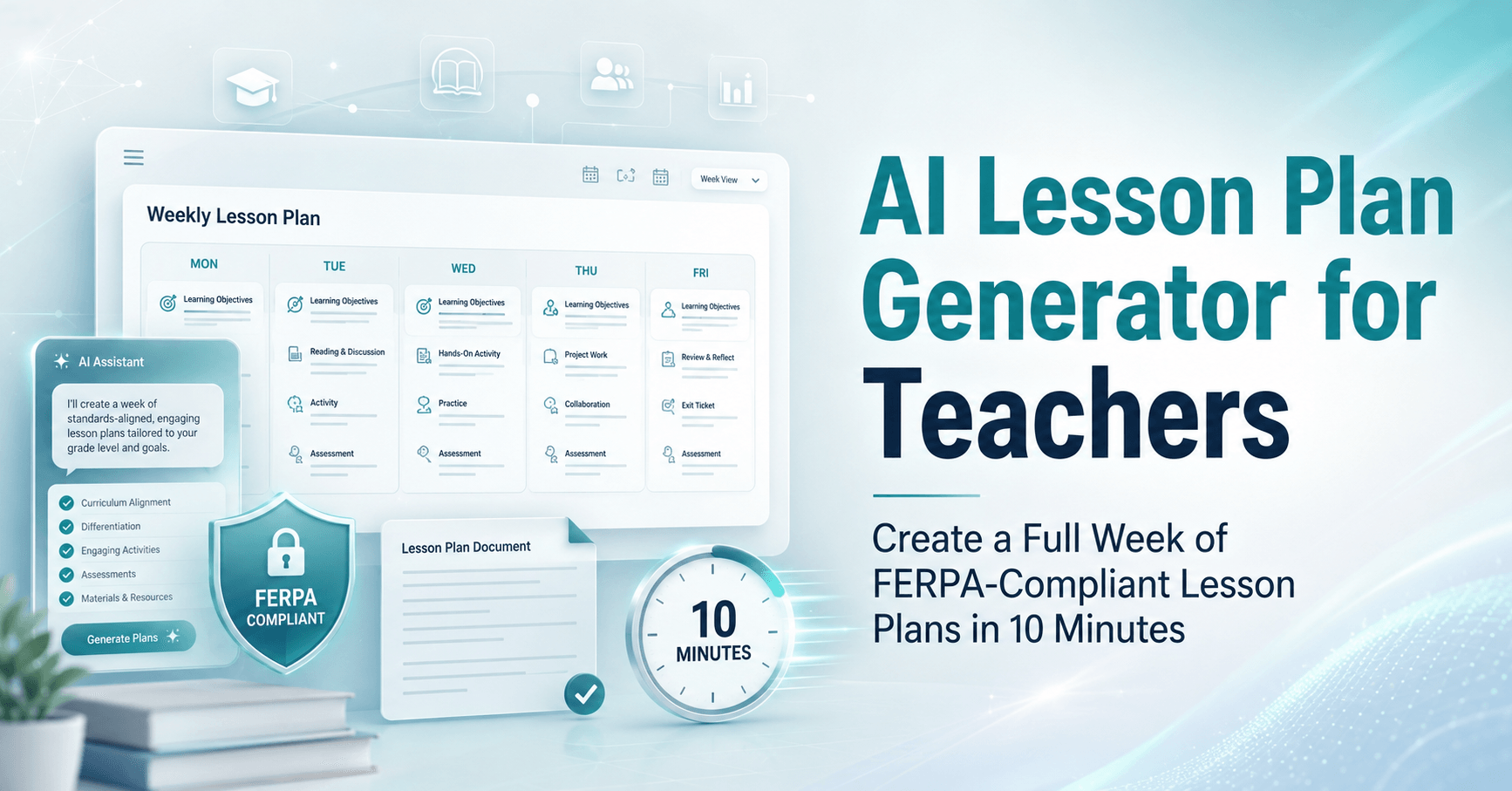
Total active teacher time is approximately 10 minutes for a full week of five lesson plans. Most of that time is Step 4 - the human review and adjustment.
- Input (90 seconds). Grade, subject, standards code, time per lesson, days needed. No student names. No IDs. CourseSmith pre-loads state standards - search and select.
- Generate (60 seconds). AI produces 5 daily lesson plans with objectives, activities, assessments, and materials. Output aligned to the standard you selected.
- Differentiate (2 minutes). Click to generate IEP/504/ELL variations - 3 reading levels, scaffolded vocabulary, alternative activities. No PII inputs.
- Review + edit (5 minutes). Teacher review is mandatory. Adjust pacing, add personal examples, correct anything that doesn't fit your students. This is the irreducible human step.
- Export (90 seconds). Download as PDF, push to Google Classroom or Canvas, print handouts. Save to your shared department drive for next semester.
AI drafts are starting points, not finished products. The workflow respects teacher judgement while removing the structural drafting that consumes most planning hours.
Download the 3 lesson plan templates.
Elementary Reading, Middle School Math, and High School Science - FERPA-safe by design.
Download the 3 lesson plan templates →Three Free Lesson Plan Templates
These templates work in CourseSmith, MagicSchool, Khanmigo, or as starter prompts for generic AI tools. Each template specifies what to include and what to omit (per the FERPA matrix above).
📘 Template 1 - Elementary Reading (K-5)
Subject: Reading / English Language Arts. Standard: CCSS.ELA-LITERACY.RL.[grade].[strand]. Components: Mini-lesson · Guided reading · Independent reading · Comprehension check · Differentiation for emerging/on-level/advanced readers. Duration: 60 minutes (5-day plan = 5 hours of instruction).
📐 Template 2 - Middle School Math (6-8)
Subject: Mathematics (Pre-Algebra / Algebra 1). Standard: CCSS.MATH.CONTENT.[grade].[domain].[cluster]. Components: Warm-up problem · Concept introduction · Worked examples · Guided practice · Independent practice · Exit ticket · IEP modifications. Duration: 55 minutes (5-day plan = 4.6 hours of instruction).
🧪 Template 3 - High School Science (9-12)
Subject: Biology / Chemistry / Physics. Standard: NGSS HS-[discipline]-[number]. Components: Phenomenon hook · Inquiry question · Lab or simulation · Data analysis · Claim-Evidence-Reasoning writing · Cross-cutting concept tie-in · ELL scaffolds. Duration: 50 minutes (5-day plan includes one full lab day).
All three templates are FERPA-safe by design - no fields request student names, IDs, grades, or identifying details. Differentiation outputs use anonymized reading-level bands (e.g., "emerging," "on-level," "advanced") rather than student-specific tags.
MagicSchool vs Khanmigo vs CourseSmith: Honest Comparison
| Dimension | MagicSchool | Khanmigo (Khan Academy) | CourseSmith |
|---|---|---|---|
| Best for | Multi-tool teacher swiss-army knife | Khan content library + tutoring tie-in | Lesson planning + differentiation |
| Starting price | Free tier + $4.17–$8.33/teacher/mo | Free for teachers; paid for premium | Per-school usage tier |
| Standards alignment | Common Core, NGSS, state-specific | Aligned to Khan curriculum | Common Core, NGSS, all 50 state standards |
| FERPA posture | Explicit FERPA compliance statement | Khan parent organization FERPA-aligned | FERPA-safe by design - no PII inputs |
| Differentiation | Strong (multiple tools for variations) | Built into Khan adaptive engine | 3-tier differentiation in one click |
| LMS integration | Google Classroom, Schoology | Khan Academy native | Google Classroom, Canvas, Schoology |
| Best avoided when | Need deep Khan content tie-in | Outside Khan curriculum framework | Need only a single-tool free tier |
All three are credible choices. MagicSchool wins on tool breadth (60+ teacher tools beyond lesson planning). Khanmigo wins for schools already deep in Khan Academy curriculum. CourseSmith wins on focused lesson planning depth with native FERPA safeguards and state-standards coverage. Pricing reflects published rates as of writing; verify current rates with each vendor.
For schools needing personalized learning paths tied to lesson plans (adaptive practice for different student groups), pair CourseSmith with personalized learning with AI.
How to Pick the Right Tool for Your School
Four questions decide which tool fits your context.
Q1: Do you need just lesson planning, or 60+ teacher tools?
If lesson planning is the priority and you want depth not breadth, CourseSmith focuses there. If you want one subscription that covers lesson planning, rubric creation, IEP-goal drafting, parent-email rewriting, and 50+ other tasks, MagicSchool's breadth wins.
Q2: Is your school already deep in Khan Academy?
If students use Khan Academy for practice and your curriculum is built around Khan content, Khanmigo integrates natively. If you teach outside the Khan framework or use varied curriculum sources, CourseSmith or MagicSchool serve better.
Q3: How strict is your district on FERPA-aligned vendor selection?
Some districts require explicit FERPA compliance documentation, signed data-processing addenda, and vendor audits. All three tools claim FERPA alignment; verify documentation with each vendor's legal team and confirm your state's additional requirements (California AB 1584, Texas SB 820, and Illinois SOPPA add specific clauses).
Q4: What's your pricing model preference?
MagicSchool and Khanmigo offer free tiers plus per-teacher paid plans. CourseSmith uses per-school usage tiers - better for full-school adoption, less flexible for individual teacher pilots. If you want one teacher to test before school-wide rollout, free tiers of MagicSchool or Khanmigo are easier entry points. For full CourseSmith pricing details by school size and use case, see CourseSmith pricing for schools.
Addressing the Teacher Pushback Honestly
The r/Teachers post quoted at the start of this article had a thousand-plus teachers agreeing they're tired of AI tools mandated by administrators who don't teach. The pushback is legitimate. Three specific objections deserve direct answers.
"AI outsources the craft of teaching"
True if AI generates the finished lesson and the teacher rubber-stamps it. False if AI drafts the structural skeleton and the teacher fills it with judgement, examples, and adjustments. The 10-minute workflow above is built around Step 4: teacher review and edit. That step is irreducible. AI doesn't replace the craft - it removes the structural drafting that prevents teachers from spending time on craft.
"AI outputs are generic and low-quality"
Often true with generic AI tools used without proper prompting. The quality gap between generic ChatGPT outputs and education-specific tools like CourseSmith comes from standards alignment, grade-band appropriateness, and pedagogical structure built into the tool. The teacher's edit still matters. The starting point matters more than people realize - a good first draft saves hours of restructuring.
"Admin will use this to cut lesson planning time"
This is the real fear and it's justified. Schools that adopt AI lesson planning and then cut contractual planning time are using AI to disrespect teachers, not to support them. The right policy: AI lesson planning is optional for teachers, contractual planning time stays, and time saved by teachers who choose to use AI goes back to the teacher - not back to administration. Ask your union about adding this language to the next bargaining cycle.
Sources
Frequently Asked Questions
The Bottom Line for Teachers
The two-thousand-plus teachers who reacted to the original r/Teachers post about admin mandating ChatGPT had it right on both counts. Top-down AI mandates that cut planning time without teacher input are disrespectful. Pasting student data into general-purpose AI tools is a FERPA violation that exposes the teacher and the school. Both objections are legitimate professional judgement.
What's also true: the RAND data on 7 to 10 hours per week of out-of-contract planning time isn't hypothetical. Teacher burnout at 53% isn't fixable by working harder. AI lesson planning, done right - with FERPA-safe workflows, mandatory teacher review, and explicit policy that time saved goes back to the teacher - returns hours per week without compromising craft or compliance.
If you want a 15-minute walkthrough of CourseSmith with your specific state standards and grade band loaded, book a call below. We'll bring the templates and the FERPA documentation.
See CourseSmith in 15 minutes.
Bring your state standards and grade band - we'll bring the templates and FERPA documentation.
See CourseSmith in 15 min →
Harikrishna Patel
Harikrishna Patel is the founder of MIA – My Intelligent Assistant, the AI automation platform built under Botfinity Inc. in Dallas, Texas. With 15+ years in software engineering, AI/ML, and enterprise solution design, he focuses on creating practical, scalable AI tools that help businesses automate support, workflows, and operations through voice and chat.