
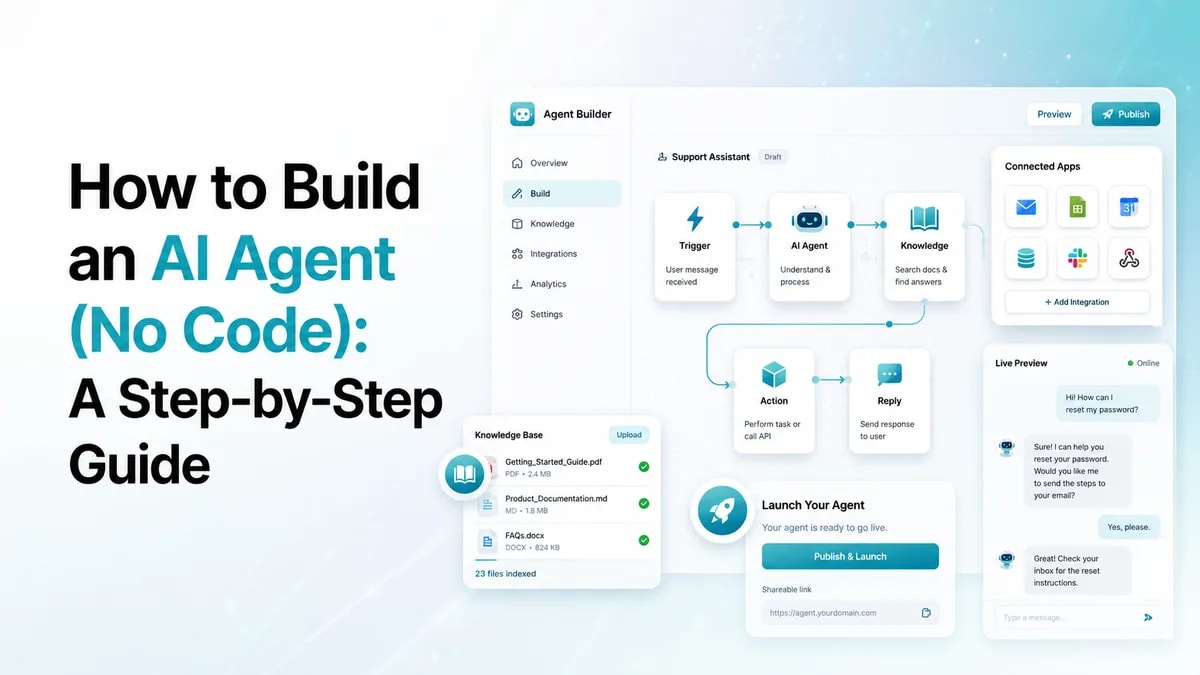
Table of Contents
- AI agent vs. chatbot: what you're actually building
- What you need to build an AI agent (no code)
- How to build an AI agent in 6 steps
- Connecting your agent to your tools
- No-code vs. custom development: time and effort
- Real-world examples of what you can build
- How to choose a no-code platform
- Frequently asked questions
Quick answer. To build an AI agent without code, use a no-code platform: scope one clear goal, choose a chatbot or voice bot, add your knowledge (docs, FAQs, pricing), build the conversation flow with a drag-and-drop builder, connect your tools (CRM, calendar, helpdesk), then test in a simulator and launch. No engineers required - a first working agent can be live in hours, not weeks.
See MIA build an agent with you - Book a demo →
Key takeaways
- You can build a working AI agent with no code, often in a single day.
- Start with one clear job - booking, lead capture, support - then expand.
- A chatbot answers; an agent acts - pick based on whether you need responses or actions.
- The real power comes from connecting your tools (CRM, calendar, helpdesk).
- No-code compresses weeks of custom development into hours; complex needs may still warrant custom work.
AI agent vs. chatbot: what you're actually building
Before you build, get the distinction straight, because it changes what you set up. A chatbot answers; an AI agent acts. A chatbot responds to questions, often one turn at a time; an agent plans multi-step tasks, reasons about context, and does the work - booking the appointment, updating the record, sending the follow-up. For the full breakdown, see AI agent vs. chatbot vs. voice agent.
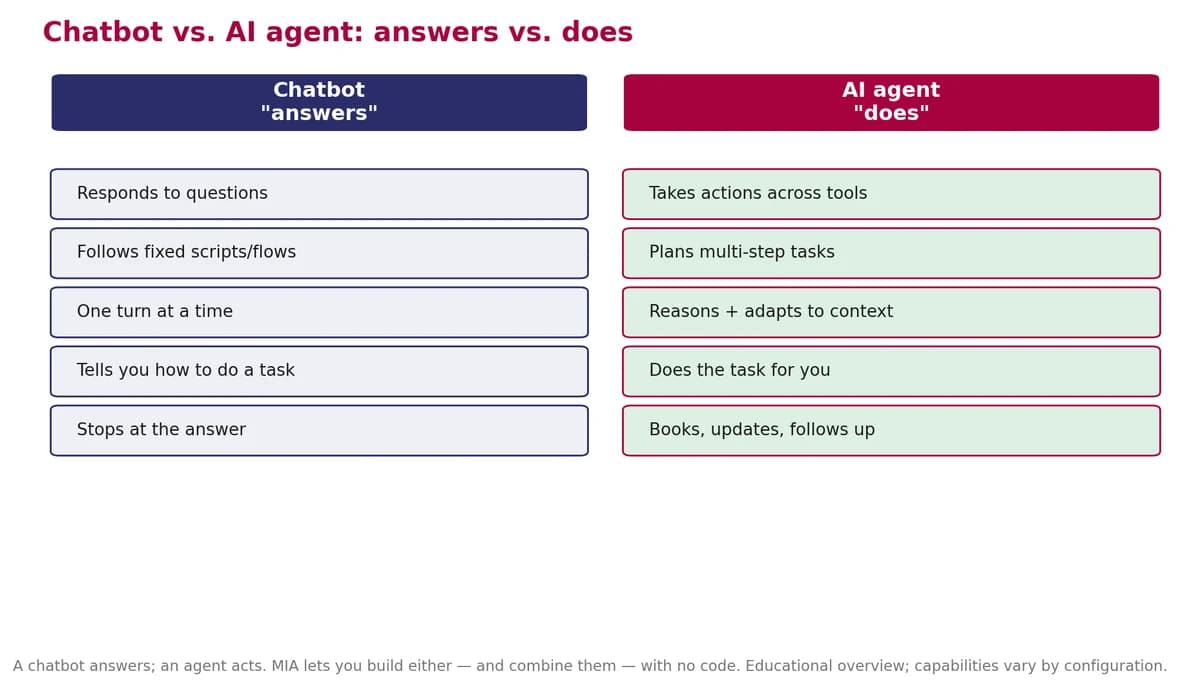
Good news: on a no-code platform you can build either - and combine them - without choosing a side up front.
What you need to build an AI agent (no code)
Under the hood, every AI agent has four parts - and a no-code platform handles them for you so you configure each visually instead of writing backend code. The four parts: a large language model (the reasoning engine), instructions or a flow (what it should do), tools and integrations (so it can act), and a place to deploy and monitor it. If you're still deciding whether to build or buy in the first place, start there - this guide assumes you've chosen to build on a platform.
How to build an AI agent in 6 steps
Here's the path, start to finish. It's the same skeleton the best guides agree on - scope, choose, instruct, connect, test, deploy - just made concrete.
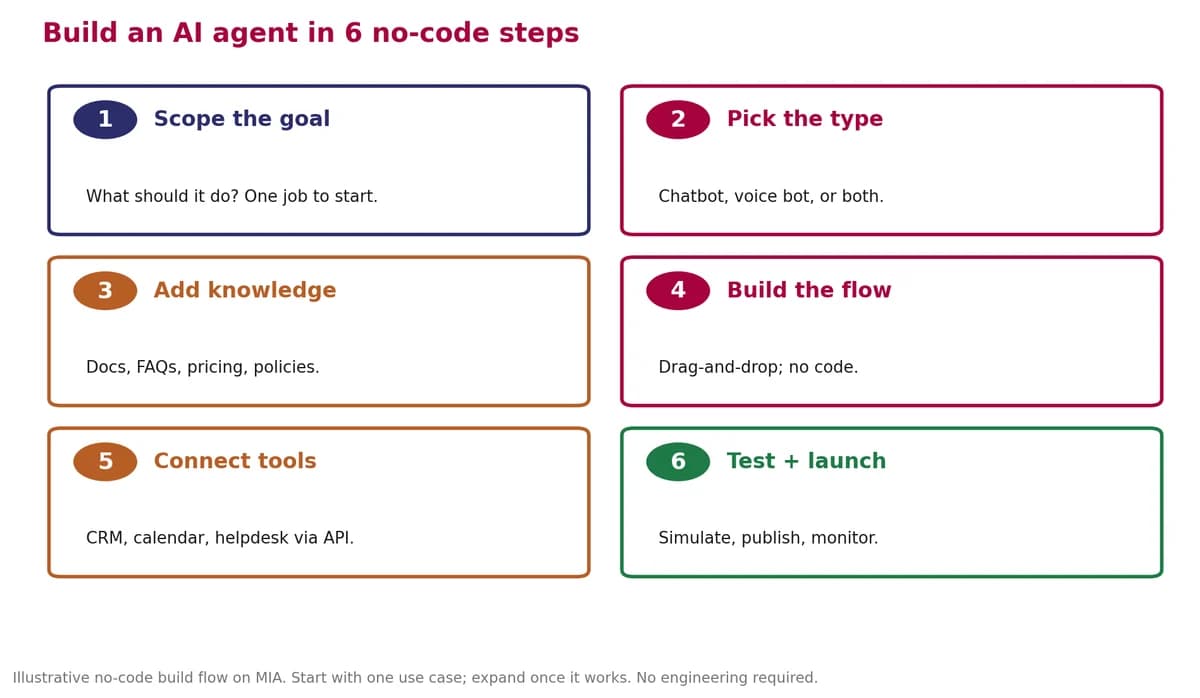
Step-by-step on a no-code platform (MIA)
- Scope the goal. Decide the one job your agent should do first, such as booking appointments or qualifying leads.
- Pick the type. Choose a chatbot, a voice bot, or both, depending on where your customers reach you.
- Add knowledge. Give the agent your documents, FAQs, pricing, and policies so it answers accurately.
- Build the flow. Use a drag-and-drop builder to create the conversation, capture inputs, and route based on answers.
- Connect your tools. Link your CRM, calendar, and helpdesk through no-code connectors or APIs so the agent can act.
- Test and launch. Use the simulator to test, then publish on your website or deploy your voice bot, and monitor performance.
Pick one job to start - appointment booking, lead generation, customer support, or FAQ automation. One clear use case beats a do-everything bot.
When you train it on your own docs and policies, it sounds like your business, not a generic bot.
Tip: ship a narrow version first. An agent that books appointments well beats one that does ten things poorly - and you'll learn fast from real conversations.
Connecting your agent to your tools
This is where an agent becomes more than a talking FAQ. Connect it to the systems you already use, and it can read and write data without anyone copy-pasting:
- CRM (Salesforce, HubSpot, Zoho) - create and update leads automatically.
- Calendar (Google Calendar and others) - book real appointments in real time.
- Helpdesk / ticketing - open and route tickets from a conversation.
- Email / SMS gateways - send confirmations and follow-ups.
Most platforms offer pre-built connectors or simple API blocks: authenticate, map the fields you want to sync, run a test, and you're live.
No-code vs. custom development: time and effort
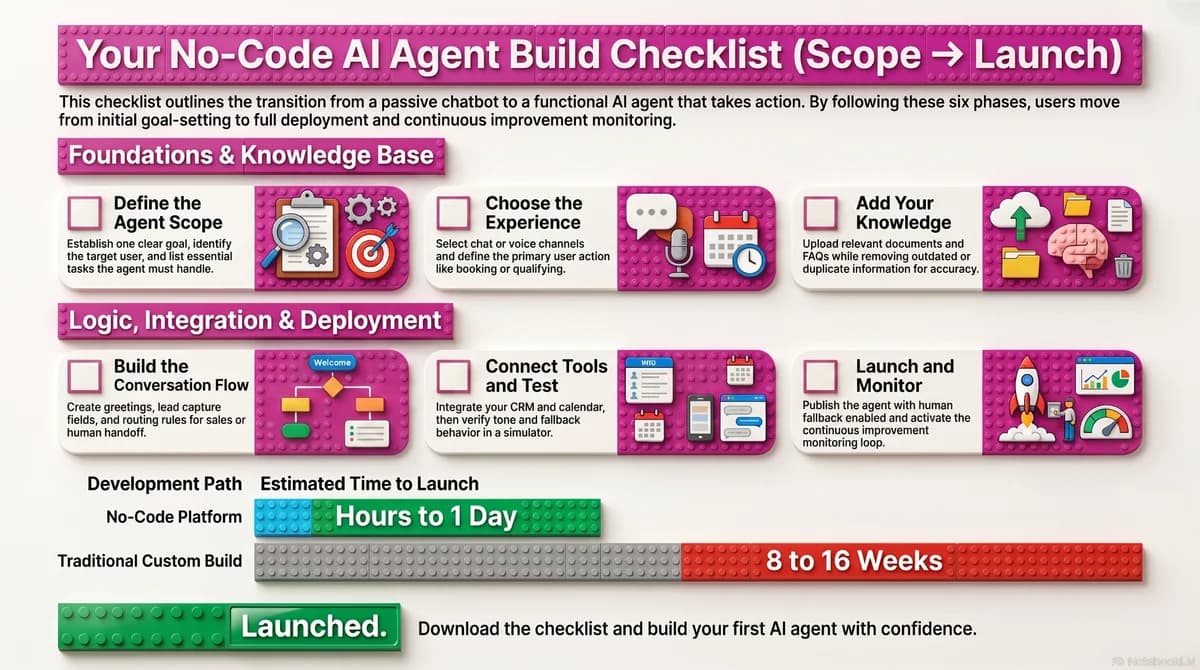
The honest comparison most how-tos skip: how long does this actually take? On a no-code platform, a first working agent is an afternoon project. A custom build is a quarter-long engineering effort.
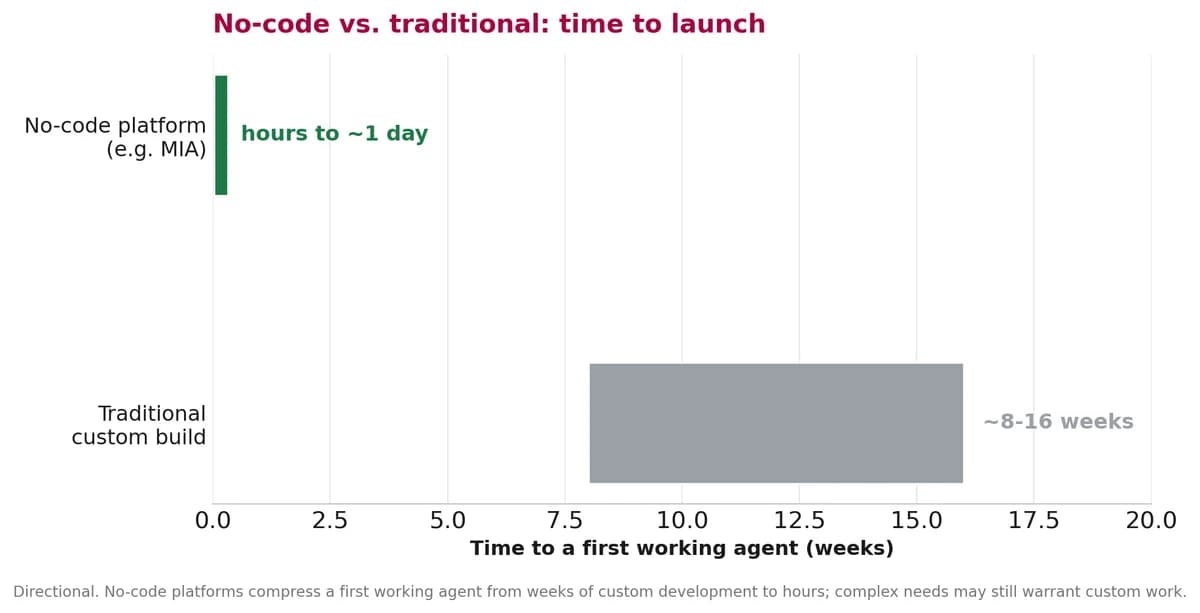
That doesn't mean no-code is always the answer - deeply specialized or unusual requirements can still justify custom work. But for the large majority of chat and voice use cases, no-code gets you to value far faster and lets non-technical teams own the agent.
Real-world examples of what you can build
The same no-code path works across industries. Per Gartner, adoption is broad and growing, and the common thread is starting with one high-value job:
- A clinic agent that books patients and collects insurance details.
- A real-estate voice bot that qualifies property leads and schedules showings.
- A support chatbot that answers FAQs and opens tickets for the rest.
- An outbound campaign bot that follows up with leads automatically.
How to choose a no-code platform
Look for: chat and voice in one place, a real drag-and-drop builder, the integrations you actually need (CRM, calendar, helpdesk), a testing simulator, built-in analytics, support for no-code automation, and the ability to build a custom AI agent trained on your data. MIA covers this end to end - no-code build, chat and voice, integrations, a simulator, and call analytics - so a non-technical team can launch and improve an agent without engineering. The fastest way to judge fit is to build a small one: see MIA build one with you.
Prefer to dive straight in? Start building free and follow the six steps above.
Frequently asked questions
How do I build an AI agent without coding?
Use a no-code platform. Scope one clear goal, choose a chatbot or voice bot, add your knowledge such as docs and FAQs, build the conversation flow with a drag-and-drop builder, connect your tools like your CRM and calendar, then test in a simulator and launch. No engineering is required.
What is a no-code AI agent builder?
A no-code AI agent builder is a platform that lets non-technical teams create and deploy AI agents using visual interfaces and plain-language instructions instead of writing code. You connect data sources, define behavior, configure tools, and deploy, all through forms and visual builders.
What is the difference between an AI agent and a chatbot?
A chatbot answers questions, usually one turn at a time, and often follows fixed scripts. An AI agent takes actions: it plans multi-step tasks, reasons about context, and does the work, such as booking a meeting or updating a record, rather than just describing how.
How long does it take to build an AI agent?
On a no-code platform, a first working agent can take hours to about a day. A traditional custom build typically takes roughly eight to sixteen weeks because it involves engineering, infrastructure, and integration work. Complex or highly specialized needs may still warrant custom development.
What do you need to build an AI agent?
At a high level you need four things: a language model that understands and reasons, instructions or a flow that defines behavior, tools and integrations so the agent can act, and a place to deploy and monitor it. A no-code platform bundles these so you configure them visually.
Can I build a voice bot without code?
Yes. No-code platforms that support voice let you build inbound and outbound voice bots the same way you build a chatbot: define the goal, add knowledge, build the flow, connect your tools, and deploy to a phone number or call list, all without writing code.
How do I connect an AI agent to my CRM?
Most no-code platforms offer pre-built connectors or API blocks for common systems like Salesforce, HubSpot, and Zoho, plus calendars and helpdesks. You authenticate the connection, map the fields you want to sync, and test, so the agent can read and write data without manual entry.
See MIA build an agent with you - Book a demo → Start building free

Harikrishna Patel
Harikrishna Patel is the founder of MIA – My Intelligent Assistant, the AI automation platform built under Botfinity Inc. in Dallas, Texas. With 15+ years in software engineering, AI/ML, and enterprise solution design, he focuses on creating practical, scalable AI tools that help businesses automate support, workflows, and operations through voice and chat.